

A Campus Golf Teaching and Training System Built Using iTrack
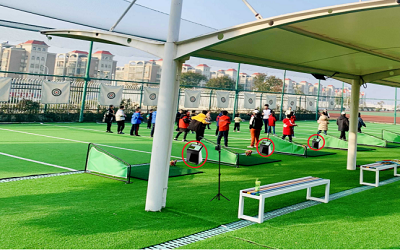
Using CaseVision's iTrack, an intelligent campus golf teaching system was built to improve the quality and efficiency of campus golf teaching. This issue can be explained from the following aspects:
(1) Characteristics of Campus Golf.
(2) Feedback-based Golf Teaching.
(3) Application of AI Technology in Feedback-based Golf Teaching.
(4) Application Scheme.
1. Characteristics of Campus Golf
Campus golf teaching differs from golf teaching in the community:
(1) "One-to-many" teaching method. In one golf lesson, one teacher may teach dozens of students at the same time.
(2) Almost no space for the ball to fly. Teaching and training venues are generally indoors and on the hitting cages of sports fields. Schools are unlikely to have large golf driving ranges; most training is conducted using hitting cages and indoor simulators.
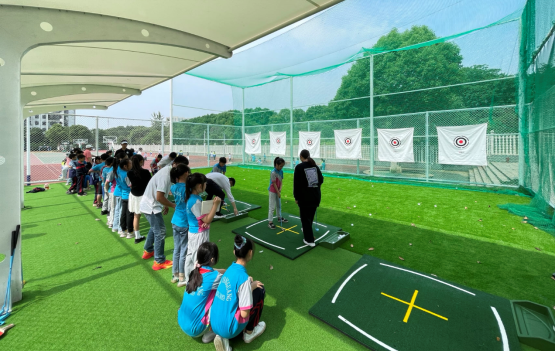
This teaching situation presents some fundamental problems, such as:
(1) The "one-to-many" teaching method makes it difficult for one teacher to attend to each student individually. The target audience for campus golf instruction is primarily beginners. Teaching students basic movements is the primary objective, but golf is a sport with very high requirements for technique. A "one-to-many" teaching method makes it difficult to provide adequate guidance to each student. The most important task for teachers is not just telling students what to do, but ensuring they correctly execute the taught movements. This requires coaches to provide timely feedback on students' movements during practice, essentially "watching the students practice."
(2) Lack of feedback on swing results: Due to the limitations of the hitting cage and indoor conditions, students cannot obtain feedback on the effectiveness of their shots. They cannot even know the most basic result: where the ball landed.
Summary: This project attempts to address these fundamental problems in campus golf instruction using Casevision iTrack.
2. Feedback-Based Golf Instruction
Simply put, feedback-based golf practice means that during practice, we need to know whether our movements match our expectations—in short, "checking your expectations." When learning golf, we use different types of feedback to check different stages of the swing. Feedback can take many forms, including: your coach, training aids, mirrors, Launch Monitors, swing videos, and countless others. A crucial point to remember is that the feedback must be appropriate for what you are training. If you are working to improve your swing, swing video feedback can be very useful, but if you are working on controlling your club path and clubface angle, you should use devices that can detect swing path and clubface angle.
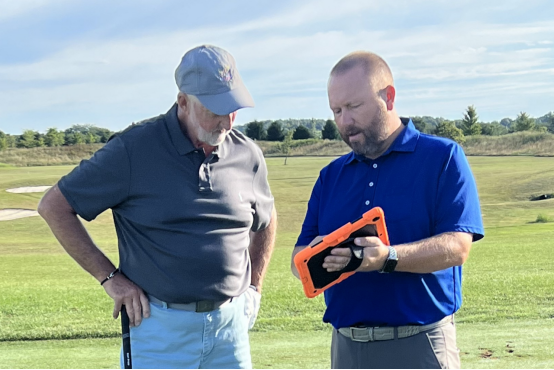
We need either objective feedback from a device or from an experienced coach who tells us that our movements are exactly what they want to teach us. This feedback is obviously very important; it prevents us from repeatedly performing incorrect movements and forming a memory of those incorrect movements—in other words, it prevents us from practicing "wrong." To give a very obvious example: A friend of mine, while learning golf, would almost have the clubhead pointing directly at the ground at the top of his backswing—a severe overswing. His coach pointed this out, and he realized the problem and tried to correct it, attempting to avoid overswing. However, without a feedback system, as he practiced repeatedly, he didn't realize that his supposed corrections were essentially repeating his original mistakes. His repeated attempts to "avoid overswing" were not significantly different from his original backswing. Such examples are commonplace. He might say, "Okay, coach, I understand. I'll show you how to avoid overswing," and then, at the top, the clubhead still drops. What does he need at this point? He needs video feedback on his swing. With each swing, the real-time replay would provide direct feedback on whether his backswing at the top was the desired state. Many of us think that finding a coach is all about learning new things, but that's not the whole story. After learning the basics, you need an experienced coach to supervise your practice. Of course, as mentioned earlier regarding overswing, you can find anyone, even someone who knows nothing about golf, tell them your target backswing position, and if you overswing, let them provide feedback. However, this doesn't mean just anyone can act as feedback. More complex movements and coordination—that is, a series of actions, such as the downswing sequence, the impact zone, etc.—require guidance from an experienced coach. During the learning process, the coach needs to treat a particular mistake as a "result" and identify the "cause" of that mistake through observation and analysis. This is where an experienced coach becomes even more crucial as a feedback system to help you practice. Therefore, a coach's role, beyond simply teaching you the movements, is to provide experienced feedback—a vital part of a coach's job. Due to inherent weaknesses in self-awareness, most people are somewhat self-righteous, always believing they are performing actions according to their own expectations, ignoring the objective reality. They remain immersed in their self-righteousness, thinking they have corrected their mistakes well, but the actual result is repeatedly repeating their incorrect movements without realizing it, leading to very slow progress and extremely low practice efficiency.
In the process of learning golf, a good coach will develop a training plan for you and continuously revise it to help you improve your skills in the most effective way. At each step of this process, they will provide you with tasks and appropriate feedback on your training. Feedback can take any form, as long as you can clearly define what behaviors are correct and what are incorrect, then you can receive feedback on whether your behavior is correct or not. For example, when taking off, we often expect the clubhead to cover our hands when the shaft is parallel to the ground. We can check this movement through swing videos to determine if the clubhead is indeed covering your hands. If not, you can make appropriate adjustments.
In the process of learning golf, a good coach will develop a training plan for you and continuously revise it to help you improve your skills in the most effective way. At each step of this process, they will provide you with tasks and appropriate feedback on your training. Feedback can take any form, as long as you can clearly define what behaviors are correct and what are incorrect, then you can receive feedback on whether your behavior is correct or not. For example, when taking off, we often expect the clubhead to cover our hands when the shaft is parallel to the ground. We can check this movement through swing videos to determine if the clubhead is indeed covering your hands. If not, you can make appropriate adjustments.
When practicing alone at the driving range, it's easy to miss many things because, in most cases, the only available feedback is the ball's flight. While ball flight is an important indicator of a good or bad shot, it's not always a reliable one. For example, are you correctly executing the swing adjustments you're trying to make? And just as a good shot can be hit with poor technique, a bad shot can also be hit with good technique. Therefore, relying solely on ball flight for feedback is insufficient. Having other forms and types of feedback, and having that feedback delivered instantly, is crucial for effective golf instruction and practice. Feedback allows you to accurately understand what your body, the club, and the ball are doing, enabling you to determine what you need to do to produce the desired shot. Real-time feedback allows you to check if you're correctly repeating your intended swing motion time and time again, improving swing consistency and ensuring you're doing effective and useful swing practice.
We all hit bad shots from time to time. It's important to understand that bad shots are inevitable, even for professional golfers. Hitting a shot out of bounds or a flat shot on the fairway doesn't necessarily mean you need to completely overhaul your swing. Imagine you've been hitting your driver perfectly all day, but suddenly hit a bad shot on the 12th hole. There's no reason to change your swing, because it's obvious you were hitting well before that. However, people often try to compensate for a bad shot by overcorrecting on the next swing, resulting in a slice out of bounds on the 12th and often a hook shot on the next hole because they're so focused on avoiding that previous slice out-of-bounds shot. We use feedback to identify the "correct" movement and improve consistency, helping golfers build confidence on the course.
Summary: Feedback is a crucial tool for improving the quality of golf instruction.
3. Application of CaseVision iTrack in Feedback-Based Golf Instruction
We previously analyzed that a crucial task for coaches is to provide feedback to students during practice, ensuring they understand whether they are correctly executing the coach's intentions. We can use AI technology to replace the coach, providing feedback to students during practice, thus achieving intelligent "one-to-many" teaching. This is the core of this project: the coach tells students what to do, and AI, instead of the teacher, tells students whether they are correctly executing the coach's intentions. The feedback task is completed by AI. This greatly improves teaching quality and efficiency.。
AI feedback includes the following aspects:
(1) Swing Action Feedback
a) The software automatically detects and records swing actions without requiring any other sensors. Therefore, it is very convenient to use, supporting front and side shots; supporting the recognition of full swing, half swing, and quarter swing actions; supporting the recognition of hitting swings and non-hitting swings.
b) Real-time video playback: Videos can be played at different speeds and dragged to quickly reach the desired viewing position, automatically displaying selected key location photos.
c) Automatic identification of key positions: setup, take-off, backswing, top of the swing, downswing, release, impact, follow-through, foreswing, and finish. Players can view images of key positions without watching the video, or select to view only images of a specific key position (e.g., the top of the backswing). With each swing, the screen automatically displays an image of the selected position (e.g., the top of the backswing) or images of all key positions, providing rapid feedback. This saves players time and does not disrupt their swing rhythm.
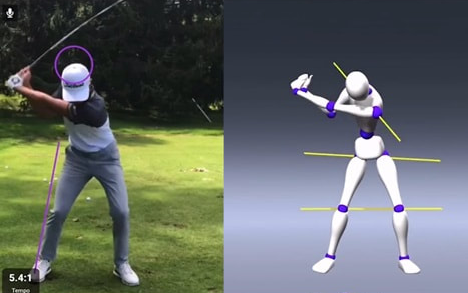
d) Intelligent line drawing: This function completely eliminates the tedious, time-consuming, and inaccurate manual line drawing. Players can select and draw head position, spine line, shoulder line, hip line, knee line, hand position, side body line, arm line, leg line, arm line, balance line, and swing plane by clicking. Players can analyze and evaluate their swing based on these reference lines.
e) Intelligent drawing of the swing plane. Each swing automatically generates a swing plane, providing feedback to the trainee and enabling them to develop a stable and scientific swing plane—the core framework for stable, accurate, and efficient shots.
f) Recording and storing swing videos. Facilitates comparative analysis of the training process.
(2) Results of the swing action: Feedback on data at the moment of clubface impact with the ball
a) Clubhead data at impact: clubhead speed, angle of attack, clubhead path, impact efficiency.
b) Clubface data at impact: clubface angle, dynamic loft, base angle (lying angle), closing velocity, impact point position.
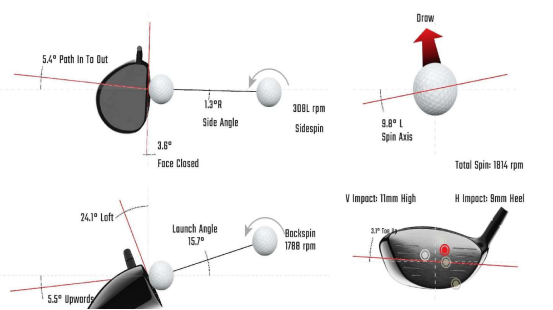
(3) Feedback on impact results
a) Ball launch data: ball speed, launch angle, launch direction, spin (total spin/axis of rotation, or backspin/sidespin).
b) Ball trajectory: landing distance, roll distance, landing offset, flight height, landing angle, flight time.
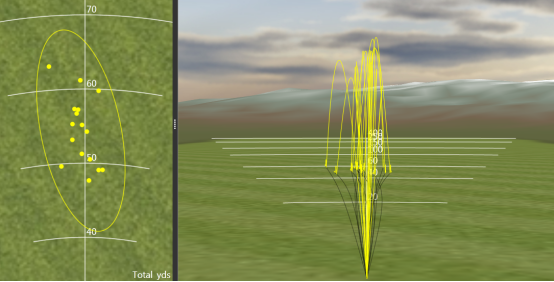
Summary: Casevision iTrack provides comprehensive feedback for golf instruction, encompassing the entire golf swing process: motion → impact → flight.
4.Application Scheme
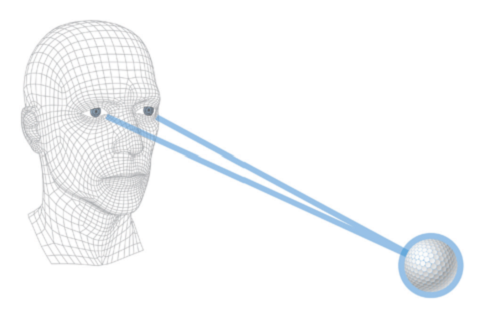
The measurement of ball and clubhead data at the moment of impact between the clubhead and the ball is performed using stereoscopic vision technology for capture, analysis, and calculation. Stereoscopic vision borrows from the principle of "parallax" in human binoculars; that is, the left and right eyes perceive a particular object in the real world differently. Our brains utilize this difference to allow us to perceive the distance of objects. Therefore, like human binoculars, a stereoscopic vision system requires the support of two (or more) cameras to achieve three-dimensional (3D) reconstruction. In our case, the "binoculars" are two high-speed cameras that simultaneously capture images of the ball at the moment of launch at high speed. These images are then reconstructed into a 3D reality, analyzed, and calculated to obtain the necessary data.
For a detailed introduction to CaseVision iTrack ,please visit www.casevisiongolf.com
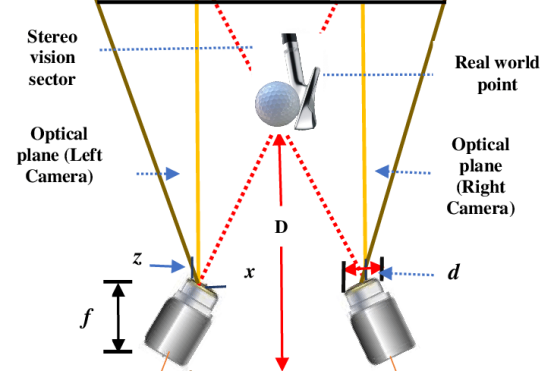
Swing motion capture is performed by two high frame rate cameras, one capturing a frontal image and the other capturing a side image:
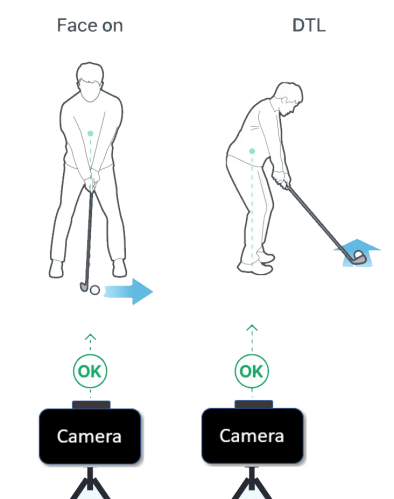
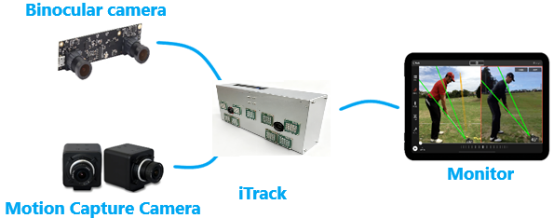
The two swing motion capture cameras, along with a high-speed binocular camera capturing clubhead and ball data, are sent to the iTrack all-in-one computer for processing, and finally displayed on the monitor.
(1) System structure diagram:
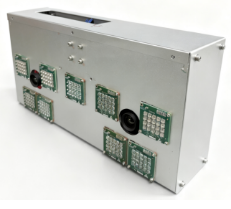
(2) Physical object:
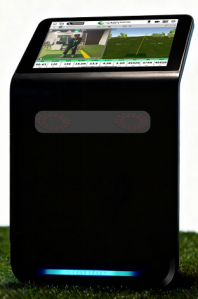
(3) Application scenarios
Summary: CaseVision iTrack is used to help coaches in providing supervision and feedback to students during practice, solving the problems of "one-to-many" and lack of feedback.